#
Start
#
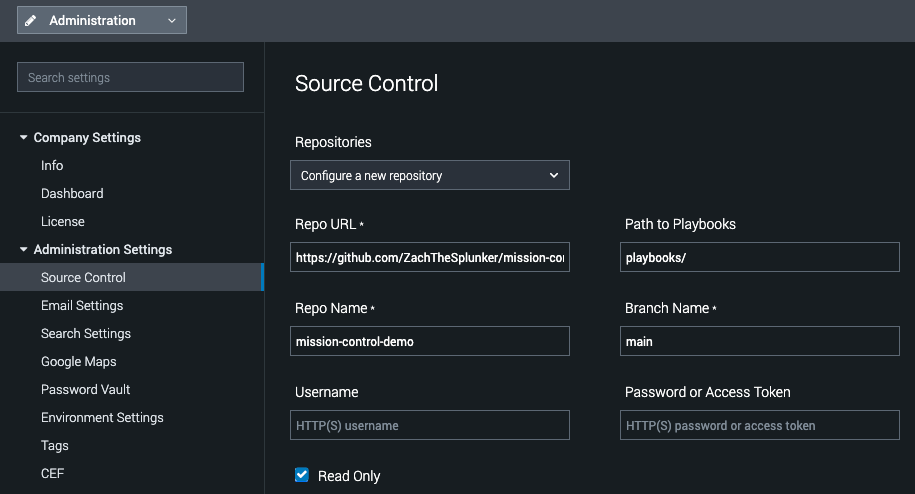
Add this repo to SOAR
- In Splunk Soar, Navigate to Administration > Administration Settings > Source Control
- From the "Repositories" drop down, select "Configure a new repository."
- Enter the following:
Repo URL
https://github.com/ZachTheSplunker/mission-control-demo.git
Path to Playbooks
playbooks/
Repo Name
mission-control-demo
Branch Name
main
Read Only
True (checked)
Don't forget to save your changes
#
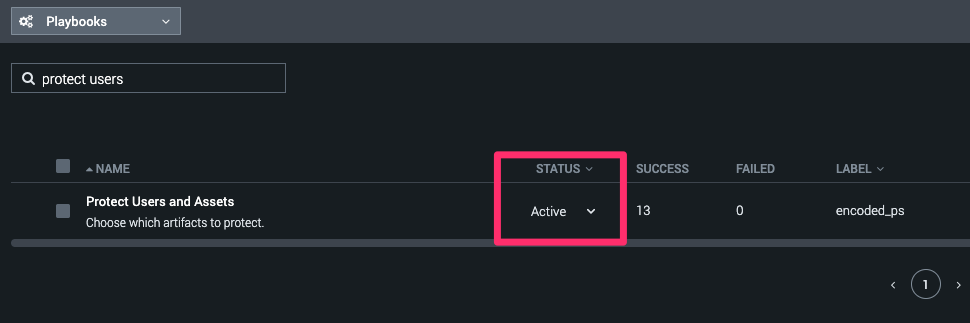
Set playbook to "Active"
- In Splunk Soar, navigate to Playbooks.
- Using the filter textbox, type "Protect Users."
- Set the "Protect Users and Assets" playbook to be "Active" using the Status dropdown.
#
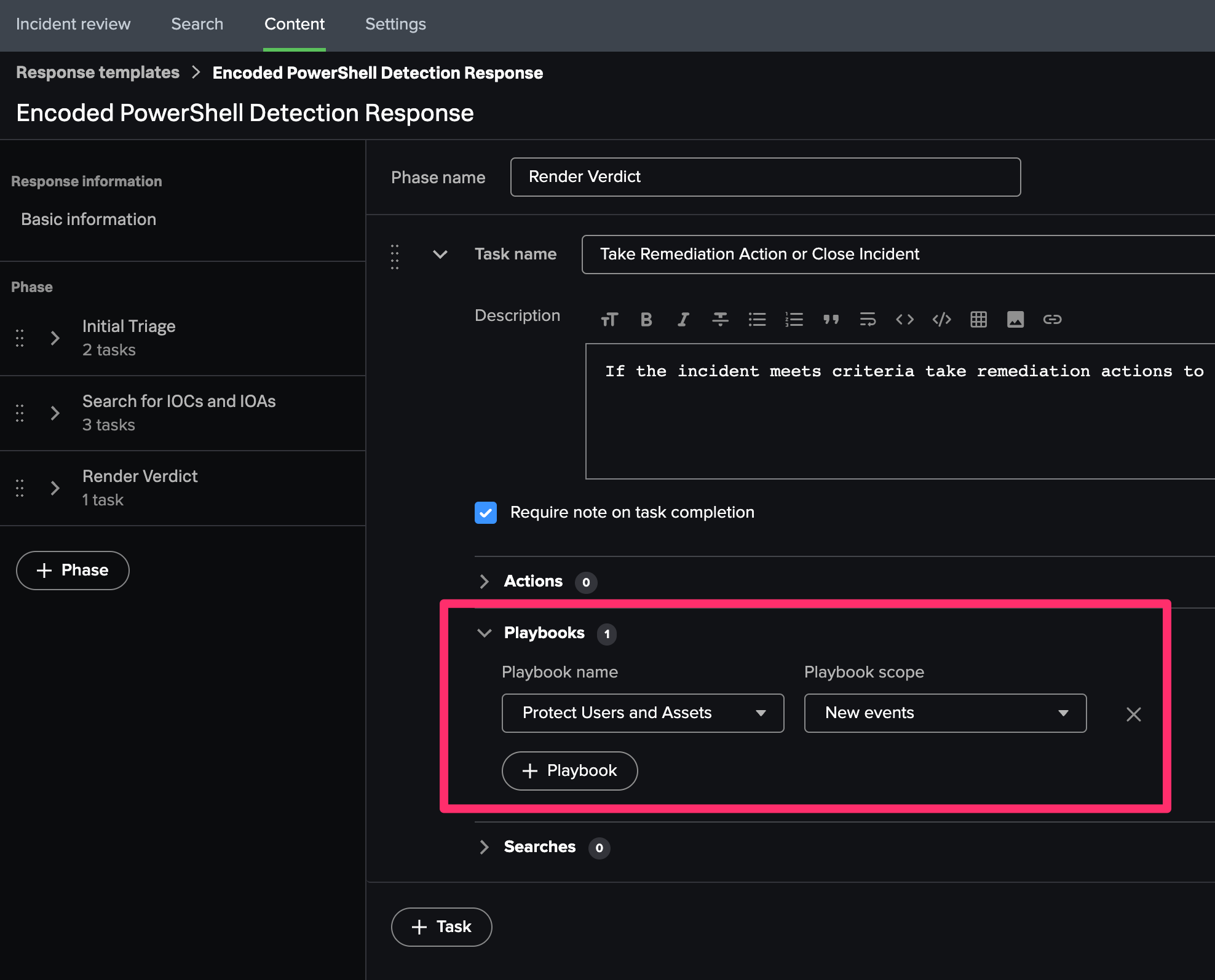
Add playbook to Response plan in Mission Control
- In Mission Control, Navigate to Content.
- Select the Response Plan "Encoded PowerShell Detection Response."
- For the "Render Verdict" phase, Select the task "Take Remediation Action or Close Incident."
- Add the Playbook
Protect Users and Assetsto the task. - Save the respone template.